
 One of the iPhones on our rack
Rent real iPhones on 0bull
Physical iPhones on our rack, each with its own residential IP. We take care of the hardware. You pay $100 per phone per month and control the phones from a browser, the REST API or MCP.
Phone farm as a service
Rent real iPhones on our rack, each with its own residential IP in the location you choose, for $100 per phone per month. Control them from a browser, the REST API or the MCP server. Nothing to buy, wire or maintain.
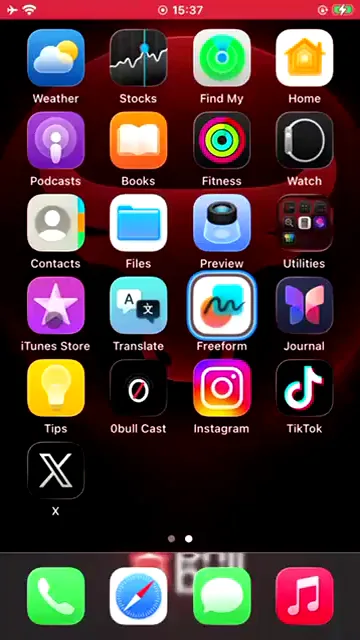
Building a phone farm yourself means buying devices, racking and powering them, setting up proxies, writing automation scripts and babysitting all of it. On 0bull the phones are already racked, powered and online. You pick phones, sign in and run.
Choose how many iPhones you need and where their IP should be. Each one is a physical handset reserved for your account.
Open a phone in your browser and sign in to your apps the same way you would on your own iPhone.
Work the screen live from the browser, call the REST API, connect the MCP server, or give the AI phone agent a task in plain words.
Order more phones from billing when you need them. Month to month, with no hardware on your side.
The same phones answer to a person in the browser, to your own code and to an AI agent. Pick what fits each job.
Open any phone you rent in a browser and use it live. Taps, swipes and keyboard input go straight to the handset.
Give a phone one task in plain words and the agent carries it out on the screen. Save a task as an automation to run it on a schedule, by webhook or on demand.
Manage accounts, publish posts and drive phones from your own code. Work on a phone is queued, so your code checks the result when it finishes.
curl https://0bull.net/api/v1/accounts \
  -H "Authorization: Bearer $OBULL_TOKEN" \
-H "Accept: application/json"Connect Claude or another MCP client and let it take screenshots, tap, type, run macros and publish posts on your phones.
$ claude mcp add --transport http 0bull https://0bull.net/mcpInvite your teammates and assign them specific phones. You can grant Control and Submit access separately. They see the devices you assign, and you can revoke access at any time.

There are three ways to get a group of phones working for you. They differ in what you own, what you maintain and which phones you get.
Physical iPhones on our rack, each with its own residential IP. We take care of the hardware. You pay $100 per phone per month and control the phones from a browser, the REST API or MCP.
You buy the phones, a rack or phone box, power, cables and proxies, then write and maintain the software that runs them. You own all of it, including every fix.
A hosted or virtual Android environment. It can cost less, but it is not a physical iPhone running the native iOS app.
Short answers for the people who own content, account operations, approvals, and automation.
A group of phones run side by side to do work in mobile apps, from publishing posts to running an app routine. On 0bull the phones are real iPhones on our rack that you rent by the month and control remotely.
Some work needs the real thing: the native iOS app running on physical hardware, with a screen a person can see and use. Cloud phones and emulators are virtual Android environments. 0bull phones are physical iPhones, each with its own residential IP.
$100 per phone per month, billed monthly. We hold the first month on your card until your phones are confirmed. Add phones when you need them and drop them at their next renewal.
Live from a browser, with taps, swipes and typing. From your own code, with the REST API. From Claude or another AI client, with the MCP server. Or give the AI phone agent a task in plain words and it works the screen for you.
Yes. Invite teammates and assign them specific phones, with Control and Submit access set per phone. A VA opens the phone in a browser, and you can revoke access at any time.
Yes. Order more phones from billing in your dashboard whenever you need them. An API or MCP client can also ask for more phones, and you approve the request.
Pick a country. We assign the phone. You take it from there.
Start for free