
GUIDE / CLOUD PHONES
Cloud phone vs real phone: which one should run your accounts?
Cloud phones are cheap and quick to set up. Real phones cost more and behave like phones. Here is how to choose, written by a company that rents the real ones.
The short answer
A cloud phone is Android running in a data center. You rent it by the minute or the month, open it in a window, and install apps the way you would on any Android phone. A real phone is exactly what it sounds like: an actual handset sitting in a rack somewhere, which you control over the internet.
If your accounts live on Android and price matters most, a cloud phone is a sensible place to start. If you need iOS, the decision is already made. Apple’s virtualization framework runs macOS and Linux, not iOS, so there is no mainstream iPhone in the cloud. When a service offers remote iPhones, ask whether they are physical phones in a rack. For everyday account work, they are.
Apple lists macOS and Linux as the guest systems its framework can run. Apple Virtualization framework, checked 2026-09-24GeeLark describes its cloud phone as Android running on cloud infrastructure. GeeLark cloud phone, checked 2026-09-14
Side by side
Antidetect browsers are in the table because they come up in the same conversations, even though no phone is involved.
| Question | Real phone | Cloud phone | Emulator | Antidetect browser |
|---|---|---|---|---|
| What it is | An actual handset in a rack, controlled over the internet. | Android running on a server in a data center. | A virtual phone running on your own computer. | Separate browser profiles. There is no phone involved. |
| Operating system | Whatever the phone runs, iOS included. | Android. We have not found an iOS cloud phone sold for everyday account work. | Mostly Android. Xcode’s Simulator is for testing your own builds and has no App Store. | None. It is a website session. |
| Runs the real mobile app | Yes, installed from the App Store or Play Store. | Yes, Android apps. | Android apps, with rough edges. | No, only the web version of a platform. |
| Cost | Highest per device. We charge $100 a month. | Low. Often billed by the minute or by the month. | Free, paid for in your own CPU and RAM. | Usually cheap, priced per profile. |
| Good for | Anything on iOS, and accounts where the phone has to be a phone. | Lots of Android environments, set up quickly. | Building and testing your own app. | Work that already happens in a browser. |
What it is
- Real phone
- An actual handset in a rack, controlled over the internet.
- Cloud phone
- Android running on a server in a data center.
- Emulator
- A virtual phone running on your own computer.
- Antidetect browser
- Separate browser profiles. There is no phone involved.
Operating system
- Real phone
- Whatever the phone runs, iOS included.
- Cloud phone
- Android. We have not found an iOS cloud phone sold for everyday account work.
- Emulator
- Mostly Android. Xcode’s Simulator is for testing your own builds and has no App Store.
- Antidetect browser
- None. It is a website session.
Runs the real mobile app
- Real phone
- Yes, installed from the App Store or Play Store.
- Cloud phone
- Yes, Android apps.
- Emulator
- Android apps, with rough edges.
- Antidetect browser
- No, only the web version of a platform.
Cost
- Real phone
- Highest per device. We charge $100 a month.
- Cloud phone
- Low. Often billed by the minute or by the month.
- Emulator
- Free, paid for in your own CPU and RAM.
- Antidetect browser
- Usually cheap, priced per profile.
Good for
- Real phone
- Anything on iOS, and accounts where the phone has to be a phone.
- Cloud phone
- Lots of Android environments, set up quickly.
- Emulator
- Building and testing your own app.
- Antidetect browser
- Work that already happens in a browser.
If you need iOS, only one of these four is an option.
Android describes its emulator as a virtual device running on your computer. Android Emulator documentation, checked 2026-09-24
When the hardware matters, and when it doesn’t
Apps can read a lot about the device they run on: the model, the sensors, the build of the operating system. A real phone answers those questions honestly because it is a phone. A cloud phone or an emulator has to give some answer, and how convincing it is depends on the provider.
How TikTok, Instagram, or YouTube weigh any of that, nobody outside those companies knows. They do not publish it. Anyone who tells you exactly how a platform scores a device is guessing.
And sometimes the hardware does not matter at all. An emulator is fine for testing your own Android app. If your team schedules posts from a desktop tool and rarely opens the app, you may not need a phone of any kind.
What each one costs
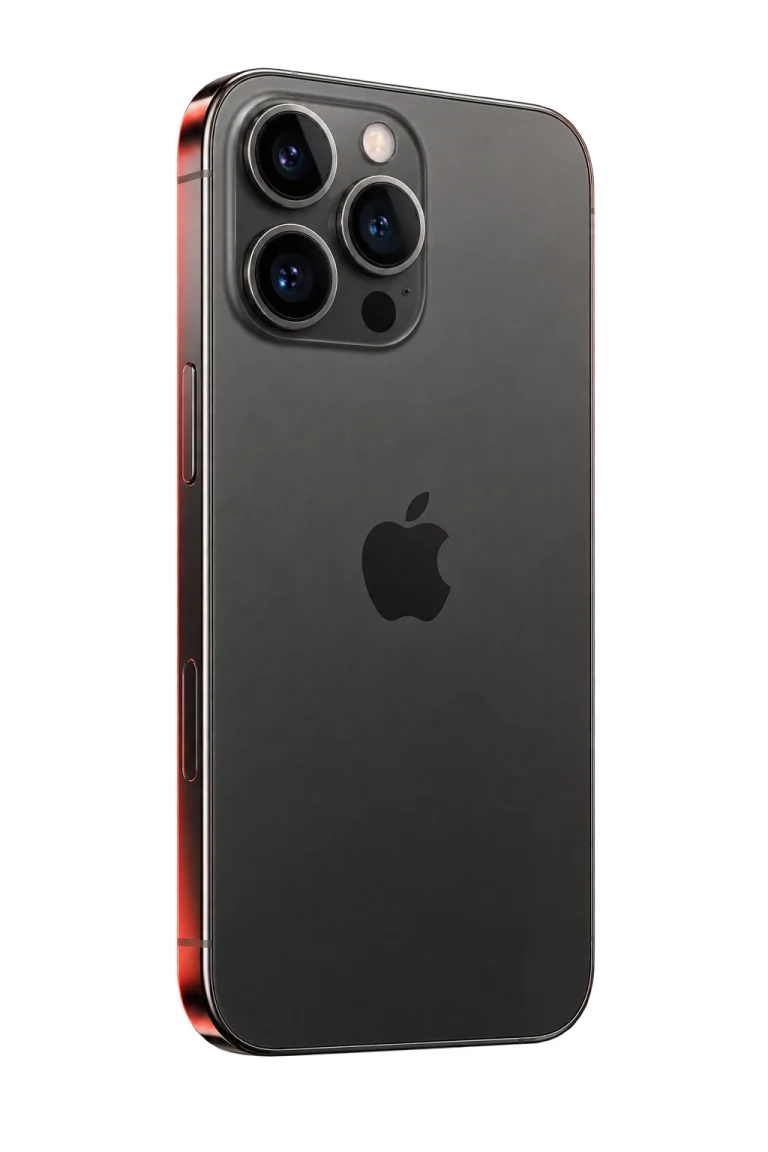
Cloud phones win on price, and it is not close. GeeLark, for example, lists usage from $0.007 a minute and a monthly device rental at $29.90. A physical iPhone from us is $100 a month.
Building your own rack looks cheaper per phone on paper. One Hacker News post listed a 20-phone rack for $1,880 with the phones included. Then come power, shelf space, repairs, iOS updates, and whoever has to fix it when three phones drop off the network on a Sunday.
So the real question is whether you need a phone that is actually a phone. If you do, you will pay more for it whichever way you get it.
GeeLark pricing, checked 2026-09-14Hacker News phone-farm hardware example, checked 2026-09-140bull introduction, checked 2026-09-24
Which one fits your situation
You only need Android, and a lot of it
Start with a cloud phone. It is the cheapest way to get many Android environments, and you can spin one up in minutes.
Your accounts live on iPhones
You need a real phone, either one you own or one you rent. There is no cloud version to fall back on.
You are building your own app
Use an emulator or Simulator while you develop, then test on real hardware before you ship.
Everything happens on the website
You may not need a phone at all. A browser profile per account, or just your normal browser, can be enough.
Questions to ask before you pay anyone
Is it physical or virtual?
Ask for a straight answer. "Real device" gets used for both.
Android or iOS, and which version?
If the answer is vague, assume Android.
Whose IP is it?
Find out whether the IP stays yours for the whole rental, is shared with other customers, or has to come from a proxy you buy separately.
Can a person take over?
When something looks off, someone on your team should be able to open the screen and fix it by hand.
What does the API actually do?
Some APIs only create records in a dashboard. Others tap and type on the device. Ask which one you are getting.
What happens when you cancel?
Know what becomes of the accounts, logins, and content on the device before you put client work on it.
Where 0bull fits
We rent physical iPhones for TikTok, Instagram and YouTube. Each phone keeps its own residential IP while you hold it. You can drive it from a browser, from our REST API, or through the MCP server if you want an AI agent doing the tapping. It costs $100 per phone per month.
If you work on Android and price is what you care about most, a cloud phone will probably suit you better. We would rather you hear that from us now than find out after a month.
0bull introduction, checked 2026-09-240bull MCP overview, checked 2026-09-24

None of this changes the platforms’ rules. Use accounts you own or are allowed to run, and read each platform’s terms before you automate anything.
Cloud phone questions
Not in the usual sense. Apple’s virtualization framework runs macOS and Linux guests, not iOS. Corellium does virtualize iOS, but it sells that to security researchers and app testers. Services that let you use an iPhone remotely for everyday account work are running physical phones.
They are close relatives. Both are virtual Android. An emulator runs on your computer, and a cloud phone runs on the provider’s servers, which you reach over the internet.
People use the words loosely. Strictly speaking, a phone farm is a group of physical phones, but some cloud phone companies call their virtual fleets phone farms too. Check what is behind the word.
Yes, by a wide margin. GeeLark lists usage from $0.007 a minute and a monthly rental at $29.90. A physical iPhone from 0bull costs $100 a month.
You can install the Android app on most emulators. TikTok does not say publicly how it treats emulated devices. For an account that matters to you, we would use a real phone.
Keep reading
More on phones, farms and the alternatives
Comparisons with specific cloud phone vendors, and the longer guide to phone farms.
Sources and dates
- Apple Virtualization frameworkFetched 2026-09-24Apple’s virtualization framework runs macOS and Linux-based guests. iOS is not on the list.
- CorelliumFetched 2026-09-24Virtual iOS and Android devices sold for security research and mobile app testing.
- Android Emulator documentationFetched 2026-09-24The Android Emulator is a virtual Android device that runs on your computer.
- GeeLark cloud phoneFetched 2026-09-14GeeLark describes its cloud phone as an Android environment running on cloud infrastructure.
- GeeLark pricingFetched 2026-09-14Per-minute cloud phone usage at $0.007 and a monthly device rental at $29.90.
- Hacker News phone-farm hardware exampleFetched 2026-09-14One public listing of a 20-phone rack at $1,880 with the phones included.
- 0bull introductionFetched 2026-09-24Physical iPhones, one sticky residential IP per phone, supported platforms, and the monthly price.
- 0bull MCP overviewFetched 2026-09-24Phone control from an AI agent through the 0bull MCP server.